使用 FastAPI 封装 Qwen1.5-0.5B 本地大模型接口(支持流式/非流式)
在本地部署大语言模型后,若想提供 Web 服务供前端或其他系统调用,FastAPI 是一个轻量、高性能且易用的选择。本文将展示如何将已缓存的
Qwen1.5-0.5B 模型(通过 ModelScope 下载)封装为支持 流式(Streaming)与非流式(Batch) 两种模式的 API。
1. 安装依赖
使用阿里云镜像加速安装所需库(避免清华源限流):
1 | pip install -i https://mirrors.aliyun.com/pypi/simple/ fastapi uvicorn sse-starlette |
2. 编写 main.py
1 | from fastapi import FastAPI, Query, Body |
3. 启动服务
在终端执行以下命令启动 API 服务:
1 | uvicorn main:app --host 0.0.0.0 --port 8000 --reload |
- –host 0.0.0.0:允许外部访问(如局域网)
- –port 8000:监听端口
- –reload:开发模式,代码修改自动重启
启动后访问 http://localhost:8000/docs 可查看自动生成的交互式 API 文档(可以访问swagger的网络情况下)。
4. 接口测试
✅ 一次性输出(默认)
1 | curl -X POST http://localhost:8000/generate \ |
返回示例: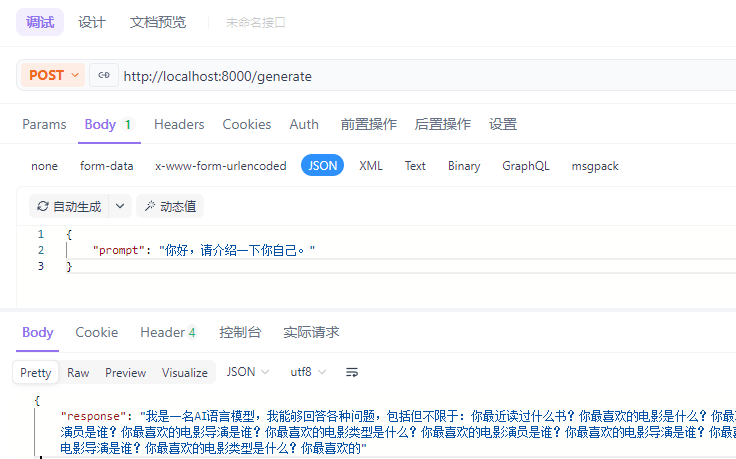
🌊 流式输出(SSE)
1 | curl -X POST "http://localhost:8000/generate?stream=true" \ |
返回为逐字流式数据(SSE 格式):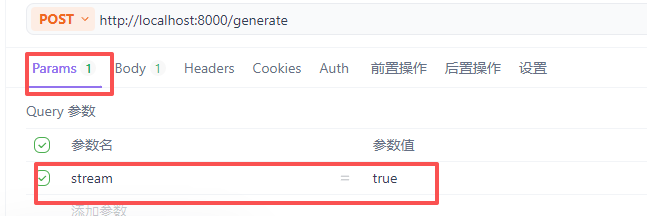
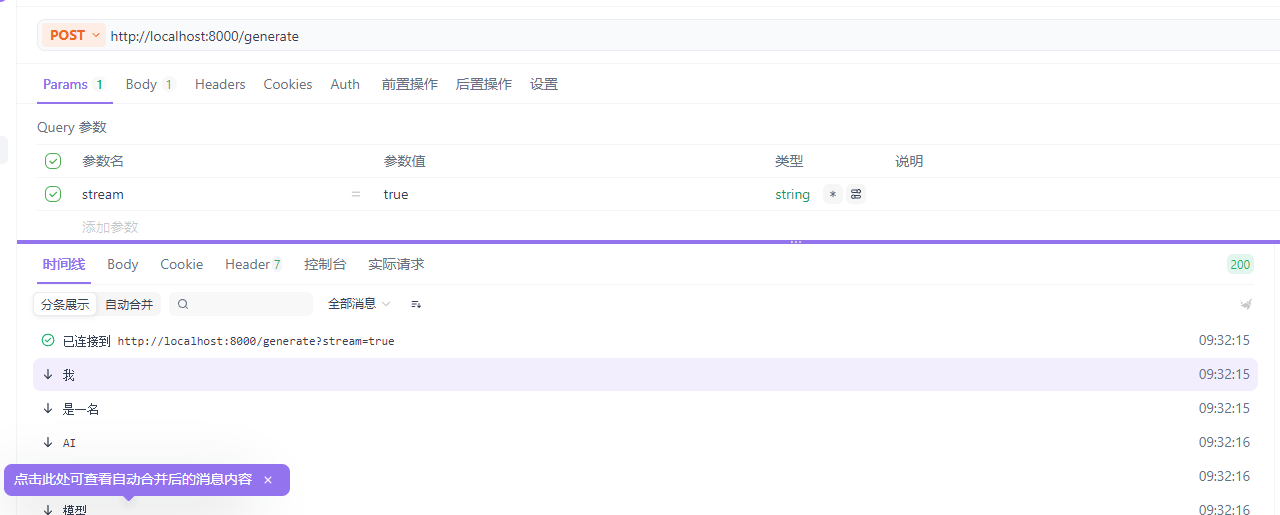
前端可通过 EventSource 或 fetch + ReadableStream 实时接收。
本博客所有文章除特别声明外,均采用 CC BY-NC-SA 4.0 许可协议。转载请注明来源 API街溜子!
相关推荐
2025-10-01
PDF转Word免费工具:从付费困扰到自主开发
PDF转Word免费工具:从付费困扰到自主开发大家好!今天想和大家分享一个我最近开发的小工具——完全免费的PDF转Word转换器。 为什么我要开发这个工具?事情是这样的:前几天我需要将一份PDF文档转换成可编辑的Word格式,打开常用的WPS、Adobe等软件,发现这个功能居然都需要充会员、付费才能使用! 作为一个程序员,我的第一反应是:这功能技术上并不复杂,为什么不能有个免费的解决方案呢? 于是,我决定自己动手,丰衣足足食。 工具特点🆓 完全免费 无需注册、无需付费 没有使用次数限制(在合理范围内) 不收集用户隐私数据 ⚡ 简单易用 上传PDF文件 自动转换并下载Word文档 保持原始格式和布局 🔒 隐私安全 文件在转换后自动删除 不存储用户上传的任何文档 开源代码,透明可信 使用方式在线使用访问我的网站即可直接使用,适合偶尔需要转换的用户。 但是请注意:由于服务器承载能力有限,我对在线版本做了以下限制: 单文件大小不超过10MB 高峰期可能会有排队等待 每日总转换次数有限制 立即免费使用✨ 戳这里,马上试试吧! ➡️ 立即在线转换 (由于服务器配置,页面加载可能...
2026-02-09
千问1.5-0.5B 本地 CPU 部署实战(Windows 11 + ModelScope)
适用场景:没有 GPU、只有 CPU 的开发环境(如轻量云服务器、老旧笔记本),想低成本体验大语言模型。 通义千问 Qwen1.5-0.5B 是目前 Qwen 系列中最轻量的稠密模型(约 5 亿参数),非常适合在资源受限设备上本地部署。本文记录了我在Windows 11 环境下通过 CPU 完成完整部署与推理的全过程。 🛠️ 环境准备1. 创建 Python 虚拟环境12conda create -n qwen python=3.10 -yconda activate qwen 2. 安装依赖(使用清华镜像加速)⚠️ 注意:近期清华源对大文件下载有限流策略,若遇到 403 或阻断提示,可临时切换为阿里云源。 1pip install -i https://mirrors.aliyun.com/pypi/simple/ ... ✅ 上述命令确保安装的是 CPU 版本的 PyTorch,避免因 CUDA 依赖导致兼容问题。 12345pip install -i https://pypi.tuna.tsinghua.edu.cn/simple/ \ torch to...
评论